
Seasonal Lighting Checklist: Adapting Your Home Office for Darker UK Mornings and Evenings
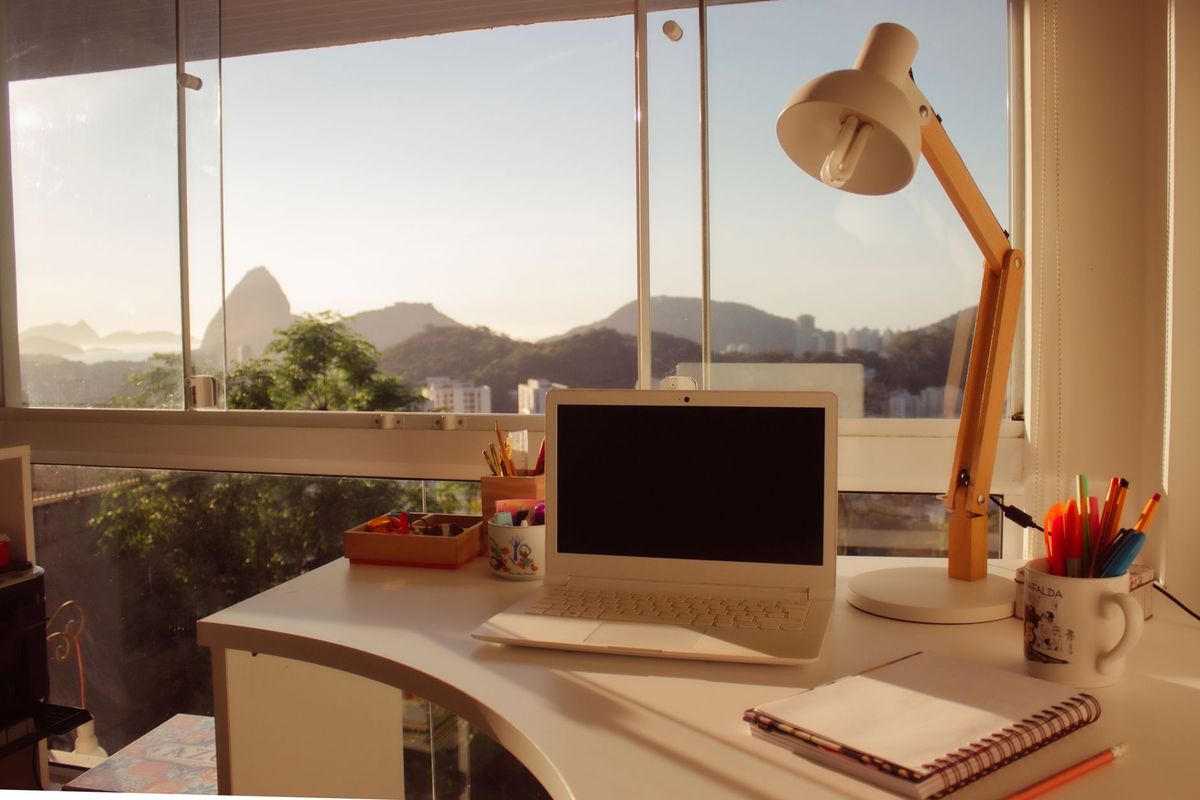
By the end of October, plenty of UK home offices are running entirely on artificial light before 8am and again after 4pm. Daylight roughly halves between midsummer and midwinter, so a desk set-up that felt perfectly fine in June can start to feel dim, flat and strangely tiring by November. The answer isn't one brighter lamp. It's three layers working together, adjusted as the season turns.
Start with layers, not one brighter bulb
Lighting in most home offices arrives by accident: one ceiling pendant, a laptop, and whatever the window offers. That works in summer. Come autumn, the single overhead light is expected to do everything, and it can't. Turning it up just puts glare on your screen and leaves you sitting in your own shadow. Think in three layers instead.
- Ambient — the general wash of light that stops the room feeling like a cave.
- Task — directed light on the keyboard, notes and anything you're reading.
- Bias — a soft glow behind the monitor, so the screen isn't a bright rectangle floating in darkness.
Each layer has a different job. Ambient light sets the mood and stops the room feeling oppressive. Task light protects your eyes and posture. Bias light protects your eyes from the screen. When one layer is missing, the others have to work too hard — which usually means you turn everything up and end up with a headache by mid-afternoon.
Layer one: ambient light that lifts the whole room
Ambient light is the layer you notice least when it's right. Aim for an even wash rather than a bright spot in the middle of the ceiling. A ceiling fitting with a diffuser is far kinder than bare bulbs, and a neutral-warm bulb somewhere around 3000K to 4000K suits most people through the working day — warm enough to feel like a room, cool enough to keep you alert.
If the ceiling light is harsh or fixed in place, add an upright floor lamp in a corner and aim it at the wall or ceiling. Bounced light fills a space without shining in your eyes. Pale walls help; if yours are dark, expect to need more light, not less. Then do the cheap things: clean the windows, pull curtains right back, and clear the sill so nothing blocks the daylight you do get.
As a rough target, desk work usually wants a few hundred lux on the work surface. Phone light-meter apps vary too much to treat as precise, but they're handy for spotting the difference between one corner of a room and another. If the meter reading at your keyboard is half what it is by the window, that's your problem area.
Layer two: task lighting you can actually aim
Task lighting earns its keep in winter. A desk lamp with a jointed arm and a shade you can angle beats any amount of ceiling output, because it puts light exactly where the work is. The difference is especially obvious if you read printed documents, write by hand, or do close work such as editing, drawing or marking up plans.
Position it properly
Put the lamp on the opposite side from your writing hand — left, if you're right-handed — so your hand doesn't drop a shadow across the page or keyboard. Keep the head below eye level and angle the shade so the bulb itself stays out of sight. If you use a standing desk, check the lamp at sitting and standing heights; a position that works seated can shine straight into your eyes when you stand.
If you can see the bulb, or its reflection in your screen, move the lamp.
Then choose the bulb
- Around 4000K is a good middle ground for focused work; step down to 3000K if you prefer a warmer room in the evening.
- Look for a high colour rendering index — 90 or above — so documents and samples read as the colour they actually are.
- Make sure it dims, and check that your dimmer and bulb are compatible. Cheap dimmers paired with cheap LEDs can flicker, and even a flicker you barely notice is tiring over a long day.
- Skip the single 6500K cool-white bulb unless you genuinely like working in a chiller cabinet.
Layer three: bias lighting behind the screen
Bias lighting is the least familiar layer and the one that makes the biggest difference after dark. It's a soft, even light placed behind the monitor, against the wall. The point isn't decoration: it reduces the contrast between a bright screen and a dark room, which is what leaves your eyes feeling gritty after a long afternoon of calls and spreadsheets.
A simple LED strip stuck to the back of the monitor, or a small bar lamp clipped behind it, is enough. Keep it warm or neutral, dim it low, and spread it evenly — the wall behind the screen should be gently lit, not glowing. Avoid colour-cycling modes while you're working; moving colour pulls the eye away from the screen. And don't mistake it for room lighting. Bias light doesn't replace ambient or task light, it just softens the edges.
If you take a lot of video calls, bias lighting also improves how you look on camera. A softly lit wall behind the monitor reduces the “floating head in a dark box” effect without turning your face into a shiny, over-lit rectangle.
The seasonal checklist
Work through this when the clocks go back at the end of October, and again in the new year.
- Replace and match your bulbs. Mismatched colour temperatures around one room look untidy and make a space feel unsettled. Buy spares now, while you still remember the fittings.
- Clean windows, shades and diffusers. Dust on a lampshade quietly steals light you've already paid for.
- Test every dimmer. Flicker, buzzing and drop-outs get worse as bulbs age and colder evenings keep lights on longer. If a dimmer buzzes at low settings or the light flickers, swap the bulb for a dimmable LED from a known brand, or replace the dimmer with one rated for LED loads. Don't live with it.
- Move the lamp, not just the settings. As the sun sits lower, glare and shadows shift. Reposition your desk lamp, then check the screen for reflections when the room is dark.
- Add a small morning light. A bedside or hallway lamp on a timer can make early starts feel less brutal, especially if you're up before the sun.
- Set an evening switch. After 4pm, drop the ceiling light to a warm, dim setting and rely more on task and bias light. Bright overhead light late in the day tells your brain it's still midday.
- Check cables and batteries. LED strips, smart plugs and dimmer remotes all fail at the least convenient moment. Replace batteries and secure trailing cables before they become a trip hazard.
A simple morning and evening routine
You don't need to redesign the room every day. A two-minute routine is enough.
Morning: Open curtains and blinds fully, turn on the ambient light if the room still feels dim, and switch on the task lamp. If you start before sunrise, keep the bias light on low so the screen isn't the only bright thing in the room.
Afternoon: As daylight fades, add the task light before you think you need it. Waiting until you're squinting is a sign you're already late.
Evening: Dim the ambient light, keep the task lamp aimed at your work, and leave the bias light on. If you're finishing for the day, switch to a single warm lamp in the corner rather than leaving the office lighting blazing.
Common winter lighting mistakes
- Relying on one overhead light. It creates glare on the screen and shadows on the desk.
- Using cool white everywhere. It can feel clinical and harsh during dark mornings; save it for detail work, if at all.
- Putting the desk lamp in front of you. It reflects in the screen and shines into your eyes.
- Ignoring the wall behind the monitor. The contrast between screen and darkness is a common cause of eye strain.
- Forgetting the rest of the room. A bright desk in a dark room makes the space feel smaller and less comfortable, especially on long winter days.
None of this needs to be expensive. A diffused ceiling shade, one good adjustable lamp, a dimmable bulb and a cheap LED strip will carry most UK home offices from October through to spring. Adjust the layers as the light changes, and the darker months become far less of a slog.
Photo: Claudio Mota / Pexels